


AI Photo - AI Video Generator
4.58.00 Reviews
App Specs
- Version
- 1.0.14
- Updated On
- License
- Free
- Downloads
- 500,000+
- Developer
- ZAppsolution
- Categories
- Photography
- Platform
- Android
Screenshots
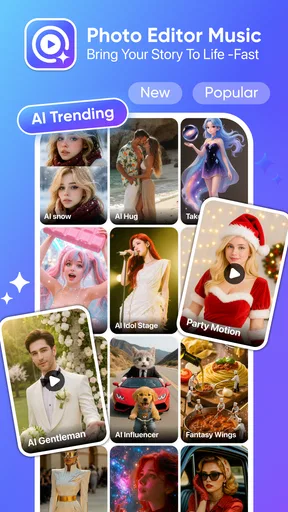
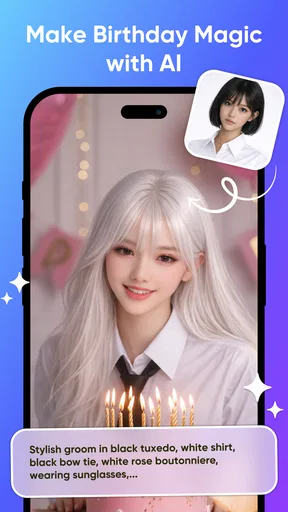
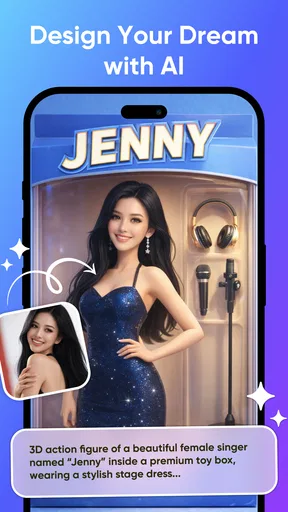
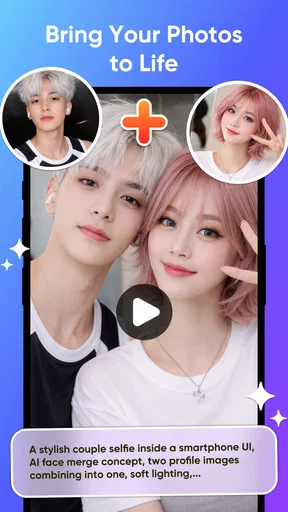
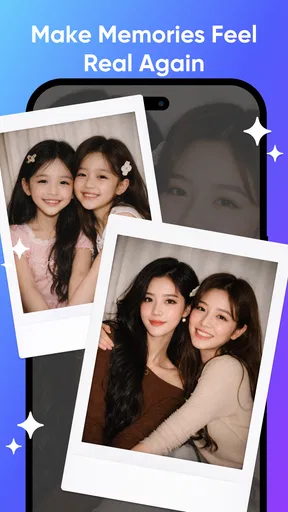
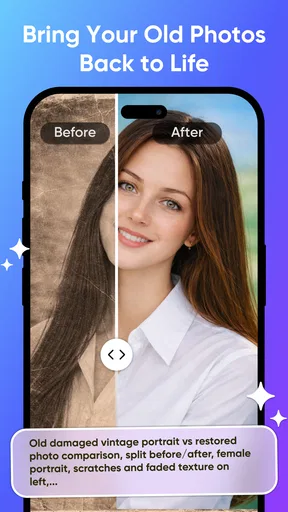
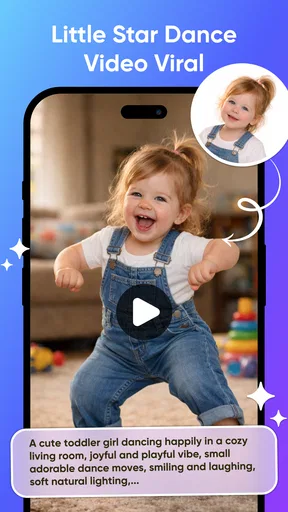
 Analysis by AppCompare
AI Photo is most interesting when I treat it as a way to turn a still image into a starting point for something more expressive, rather than as a replacement for a full photo-editing suite. That distinction matters: an AI-focused photography app can be appealing for quick creative experiments, but it is not automatically the best choice for precise retouching or dependable video editing. My recommendation is to approach it as a lightweight creative tool and judge each result by whether it suits the image and the purpose.
Turning a still image into a creative starting point
I find it helpful to treat a generated result as a draft, not a finished decision: first ask whether the image still communicates the person, place, or mood you care about. That makes the next section’s practical workflow easier to judge, especially when a creative transformation looks appealing at a glance but changes meaningful details.
Why the AI approach can be useful
The central appeal of AI Photo - AI Video Generator is its focus on AI-assisted image and video creation. In practical terms, that makes it a natural option when you want to explore a more stylized result from a photo, rather than spend time adjusting every detail by hand. It can help bridge the gap between having an image and having an idea for what that image might become.
I find that approach most useful for playful or personal projects: making a portrait feel more imaginative, giving a favorite picture a fresh visual direction, or experimenting with animation before deciding whether a concept is worth developing further. AI tools are particularly attractive when you want a quick creative prompt without learning a complicated editing workflow. The trade-off is that generated results may not preserve every detail you care about, so I would think of the app as an idea-making companion rather than a precision instrument.
That difference also sets expectations. A conventional photo editor is usually the better fit when the job is correcting exposure, cleaning up a small distraction, or maintaining a faithful likeness. An AI-centered app makes more sense when the goal is transformation. If I am sharing a family snapshot where exact faces and details matter, I would be cautious about applying a strong generative effect. If I am making a fun visual for a private chat or a casual post, experimentation is easier to justify.
How I would approach a photo-to-creation workflow
I would begin with a clear, well-lit image and a simple goal. A photo with an unmistakable subject gives an AI tool a better starting point than a crowded frame with several competing details. Before trying to make a complex scene, I would test a single image and compare the result with the original. That small check helps reveal whether the app’s interpretation suits the subject, and it avoids building a larger project around an effect that changes something important.
For a portrait, I would keep an untouched copy and use the generated version as an alternate, not as the only copy. That is a practical safeguard whenever an editing process may alter appearance or texture. For an object or landscape, I would look closely at edges and fine details after generation: those areas can make a creative result feel convincing or noticeably artificial. This is not a reason to avoid the app; it is a reason to review the output before sharing it.
Worth Reading Before You Choose

Flipboard Shows What News Apps Must Do Beyond the Feed

Switching to Android Auto Means Rethinking Your Driving Routine

Google Calendar Makes a Crowded Week Easier to Manage

Ludo King Makes the Most of the Minutes Between Plans

Baby Panda World Brings Quick Play to Modern Phones, but Its Game Library Feels Busy

ESPN’s Live Game View Makes Following Close Games Easier
A useful habit is to decide what must remain recognizable before opening an AI editor. It might be a person’s expression, a product’s shape, or the colors that make a travel photo feel like the original place. Once I know that, I can judge the result against a real standard instead of simply asking whether it looks dramatic. That keeps creative experimentation from turning into an edit that is eye-catching but no longer says what I meant.
Because the app combines photography and video-related creation, I would also separate the creative decision from the final delivery decision. First decide whether the look works; then consider where you plan to share it and whether the format suits that destination. Social posts, personal messages, and a small creative project have different expectations from client work or a polished campaign. This simple distinction makes it easier to enjoy experimentation without assuming every generated result is ready for professional use.
A realistic everyday use
Imagine taking a quick portrait on the way out with friends and later wanting a more playful version for a group chat. I would try the original photo in the app, explore a creative treatment, and compare the result side by side with the untouched image. If the new version keeps the person recognizable and adds the mood I wanted, it has done its job. If it changes facial details or makes the image feel unlike the moment, I would keep the original and move on rather than trying to force the effect to work.
That scenario captures the app’s likely sweet spot: low-stakes, personal creativity where the process itself is part of the fun. It is less suited to situations where accuracy is essential, such as documenting a product’s exact appearance or preparing a portrait that must remain faithful. In those cases, I would use a conventional editor with direct controls and reserve generative tools for optional concepts.
Where it fits beside familiar editors
Against a standard mobile photo editor, the main distinction is the creative emphasis. Traditional editors give you predictable controls: you choose the adjustment, see what it changes, and can usually make small corrections. AI-assisted creation can offer a more dramatic jump from the source image, but that jump may involve less control over individual details. I would choose the ordinary editor for careful corrections and this app when I want to see what a more imaginative treatment could look like.
It also occupies a different role from a dedicated video editor. A video editor is generally built around arranging clips, trimming timing, adding sound, and preparing a finished sequence. AI Photo’s appeal is the AI-centered creation angle rather than a promise of a full production workspace. If you need exact control over a timeline, transitions, or a polished final cut, a purpose-built video editor is the more sensible choice. If the goal is simply to explore an AI-generated visual direction, a focused app can feel less intimidating.
That comparison matters because broad app descriptions can make creative tools sound interchangeable. They are not. The best choice depends on whether I need control, speed, or surprise. AI Photo is most compelling when surprise is part of the brief; it is not the tool I would reach for first when a result must be repeatable, carefully art-directed, or technically consistent across many images.
Trade-offs worth considering before you start
The first trade-off is control. AI generation can be exciting precisely because it does more than a basic filter, but the same quality can make it harder to preserve a particular detail. I would avoid assuming that a successful result on one photo guarantees the same outcome on another. Subjects, lighting, background clutter, and the intended style all affect whether the transformation feels coherent.
The second is cost. The app is free to install, while in-app purchases range from $7.99 to $49.99 per item. I would try the free experience first and make a purchase decision only after confirming that the available creation options suit my actual use. The range makes it especially sensible to check the terms of any item presented in the app before buying, rather than treating a free download as a guarantee that every creative option is free.
There is also a practical quality-control step that is easy to skip when an output looks striking at first glance. Zoom in before sharing it. A transformation may look convincing in a small preview but less natural when viewed full size. I would check faces, outlines, hands, lettering, and other details that viewers recognize quickly. For a casual image, minor oddities may be harmless; for a portfolio or business asset, they can undermine trust.
Finally, creative apps are not always the right place for sensitive images. I would think carefully before using private or confidential photos in any online AI workflow and review the app’s current privacy information before uploading material that should remain private. That is a sensible precaution for AI image tools generally, not a claim about this app’s specific data practices. If you only want to adjust a personal photo locally and precisely, a conventional editor may be the more comfortable choice.
Who is most likely to enjoy it
The app is a good candidate for casual creators who like trying visual ideas without committing to a long editing session. It may also suit someone who wants to make a personal image feel more expressive and is comfortable judging whether the AI has changed too much. The photography category is a natural home for that kind of experimentation, while the video-creation angle gives the app broader creative appeal than a basic filter tool.
It is less likely to satisfy photographers who depend on fine manual control, users who need consistent results for a work pipeline, or anyone looking for a complete editor with a clearly defined set of professional controls. I would also steer away from relying on generated images for factual documentation: creative transformation and faithful evidence are different goals. If your priority is to preserve exactly what the camera captured, ordinary adjustments are safer.
AI Photo is developed by ZAppsolution. Its average rating is 4.5 from nearly a thousand ratings, and it has been installed more than half a million times. It is free to download, carries an Everyone age rating, and version 1.0.14 requires Android 8.0 or later. It was released on March 19, 2026. Those details make it easy to assess basic availability, but they do not change the key question for me: does its AI-led approach match the kind of image work you actually want to do?
My recommendation
I would recommend AI Photo - AI Video Generator to someone who wants a low-pressure way to experiment with AI-led image creation and is happy to inspect results rather than accept them blindly. Its strongest appeal is the possibility of taking an ordinary photo in a more creative direction, especially for personal projects and informal sharing. I would not choose it as my only editor for careful retouching, professional consistency, or exact video assembly.
Start with an image that is not irreplaceable, keep the original, and set one clear goal for the transformation. If the result preserves what matters while adding the style you hoped for, the app has earned a place in your creative routine. If it changes too much, use a conventional editor instead. That is the most useful way to approach an AI photo tool: let it offer possibilities, but keep your own judgement in charge of the final image.
Pros
- Simple interface makes it easy to create content without advanced editing skills.
- AI-generated results can provide fresh ideas for social posts and creative projects.
- Combines photo and video generation in one app.
- Quick generation is convenient for making short-form content on the go.
- Useful for experimenting with different visual styles and concepts.
Cons
- Generated images may contain visual glitches or inaccurate details.
- Results can vary
- so prompts may need several attempts to work well.
- Some features or generations may require a subscription or in-app credits.
- AI processing may take longer when servers are busy or prompts are complex.
- Uploading personal photos may raise privacy concerns; review the app's data policy.
FAQs for AI Photo - AI Video Generator
What is AI Photo - AI Video Generator used for?
AI Photo - AI Video Generator is a creative app designed to turn photos and written prompts into AI-generated images or videos. Depending on the tools available in your version, you may be able to animate a still image, apply visual styles, or generate new content from a text description. Features can vary by app version, region, and subscription, so check the current listing before downloading.
Do I need an account or an internet connection to use the app?
AI generation generally requires an internet connection because image and video requests are processed using online services. The app may also ask you to create an account or sign in to save projects, manage a subscription, or access certain features; requirements can change between versions. Review the app’s setup screens and store listing to confirm what is required, and avoid uploading sensitive photos unless you understand how they may be handled.
Is AI Photo - AI Video Generator free to download and use?
The app may be available to download without an upfront charge, but some tools, generation credits, exports, or higher-quality results may require payment. Check the store page for in-app purchases, subscription prices, trial conditions, and renewal terms before starting a trial or subscribing. If you do not want to pay, look for any stated free limits and confirm that the features you need are included.
Can I use the images and videos I create for commercial purposes?
Commercial use depends on the app’s current terms, the content-generation service it uses, and the rights associated with any photos, prompts, or other material you provide. Do not assume that every generated result is cleared for advertising, resale, or business use. Read the app’s licensing and privacy policies, and make sure you have permission to use uploaded images, especially when they include other people or copyrighted material.
What should I check before uploading a photo or creating a video?
Review the app’s privacy policy and permissions to understand how it collects, processes, stores, and shares your photos, prompts, and generated files. Use only images you have the right to upload, and be cautious with personal or identifying material. Also check available export options, generation limits, and device compatibility in the store listing, since video creation may take time and can use significant data or battery.


